XML
Understanding XML format and its use in integrations
What is XML?
XML is a markup language that defines a set of rules for encoding documents in a format that is both human-readable and machine-readable. It's particularly useful for structured data and document storage.
Basic Structure
XML in FileMaker
No native XML functions
Unlike JSON, FileMaker does not have native XML functions. You will need a 3rd party plugin, like BaseElements or MBS, if you need that functionality.
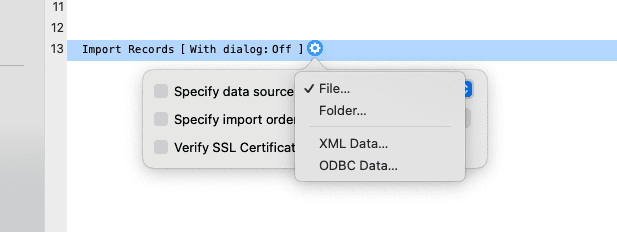
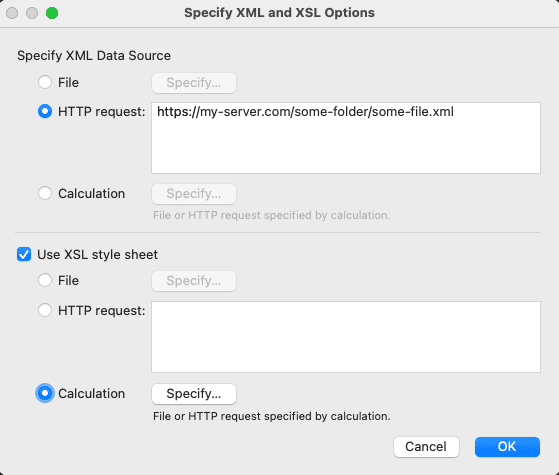
Import Script Step
You can use the Import Records script step to import XML data into your FileMaker database.
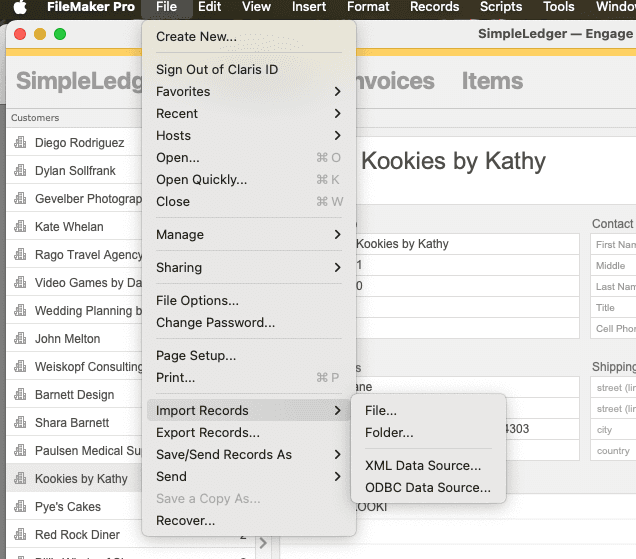
Import Records Menu
You can also use the Import Records menu to import XML data into your FileMaker database.
FileMaker XML Gateway
The FileMaker XML Gateway is a powerful feature that enables web applications to communicate with FileMaker databases using XML. It allows for creating, reading, updating, and deleting records via HTTP requests.
No longer deprecated
Once this api was marked for deprecation. But that deprecation was dropped. It is now supported Again
Key Features
- Support for CRUD operations (Create, Read, Update, Delete)
- XML request and response format
- Authentication and security controls
- Integration with web applications and services
Documentation Resources
- FileMaker XML Gateway Guide
- FileMaker Data API Guide (newer alternative to XML Gateway)
- FileMaker Custom Web Publishing